



Label Printer Buying Guide
How to Choose a Label Printer for Metal Fabricators and Machine Shops: A Practical Guide
Quick Answer
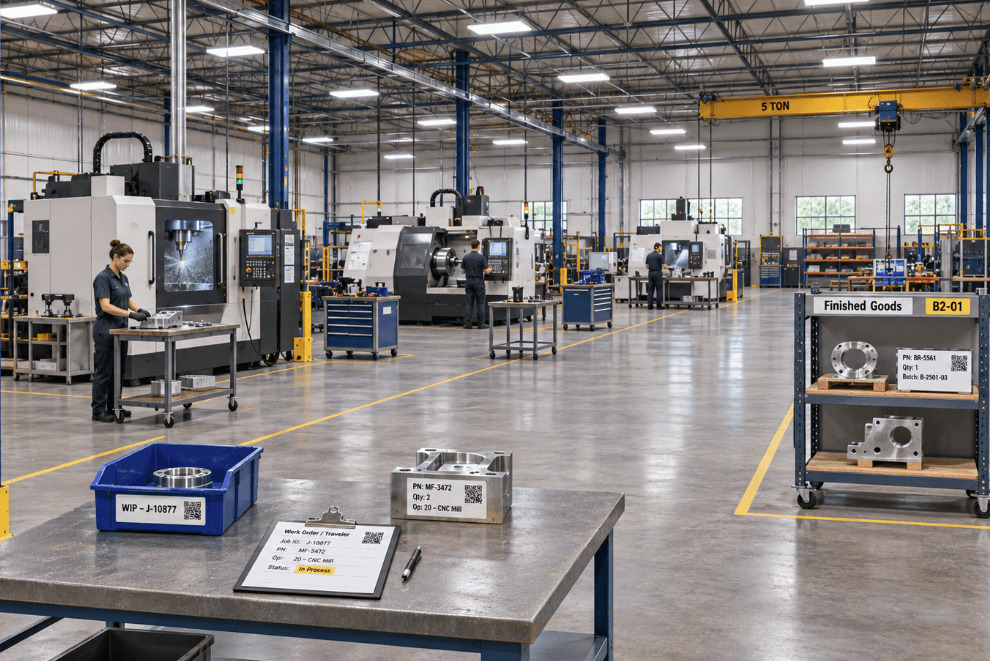
For most metal fabrication shops, a 4-inch desktop barcode printer that supports both direct thermal and thermal transfer is a practical choice. The iDPRT iT4S, with its 203/300 dpi options, dual printing modes, and flexible connectivity, works well for durable metal parts ID, stock labeling, and work-order tracking.
Metal shops need clear, reliable labels — for raw materials, machined parts, and work orders. This guide explains how to choose a label printer based on printing technology, media compatibility, resolution, and explores whether the iDPRT iT4S thermal transfer label printer fits your shop's needs.
Why Do Metal Fabrication Shops Need a Dedicated Label Printer?
Some shops still get by with paint pens, handwritten marks, or labels ordered from outside. It works — until materials change, orders shift, or production speeds up. Then the problems show up.
Common issues include:
- •Handwriting that varies from person to person, making labels harder to read and easier to mix up
- •Labels that peel or wear off on oily, dusty, or rough metal surfaces
- •Delays when outsourced labels can’t keep up with last-minute changes in jobs or quantities
An on-demand barcode label printer linked to ERP, MES, or inventory systems lets the shop print scannable labels right on the floor. Production and inventory data become clear, on-site identification — for bar stock, plates, tubes, machined parts, and WIP.
Key benefits include:
- •Fast, Neat Multi-Field Labels: Replace hand marking with clean, standardized labels, showing grade, specification, part number, and more.
- •Variable data: Batch numbers, serial numbers, and job IDs update automatically from production data, so every part gets its own unique mark.
- •Barcodes and QR codes: Scan a label to look up a part, open a work order, or check inventory instantly.
- •Durable Thermal Transfer Printing: Pair ribbon with PP/PET labels and suitable adhesives to produce long-lasting labels that resist abrasion, moisture, and light oil contamination.
Typical uses cover bar stock, plates, tubes, CNC-machined parts, work-in-progress, rack and shelf locations, and finished goods.
What Should You Look for in a Label Printer for Metal Fabrication?
1 Direct Thermal or Thermal Transfer: Which Is Better?
For longer-lasting metal parts labels, thermal transfer is generally the better choice. It uses a ribbon to create durable images on a wider range of label materials. Direct thermal printing requires no ribbon and works well for temporary identification and short-term indoor labels.
A practical rule:
- •Choose direct thermal for temporary labels such as shipping, receiving, short-term WIP tags, and bin or shelf identification with limited exposure to heat, sunlight, and abrasion.
- •Choose thermal transfer for longer-term parts identification and applications that need more durable label materials.
If your machine shop handles both types of jobs, a printer supporting both methods offers greater flexibility.
2 Which Label Materials and Ribbons Should You Use?
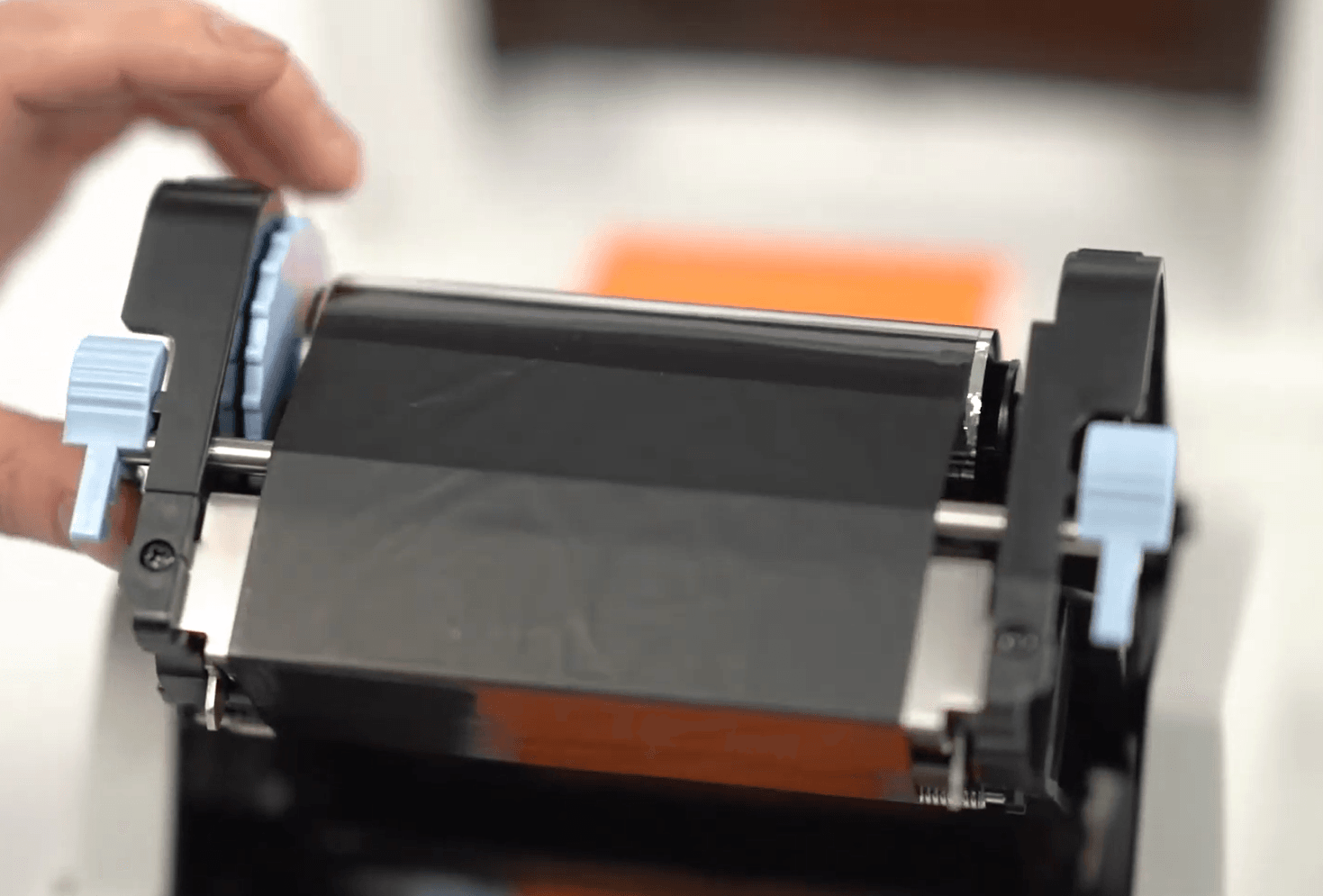
Label performance depends on more than the printer. The face material, adhesive, and ribbon must work together.
Consider the following combinations:
| Label material | Recommended ribbon | Typical metal shop application |
|---|---|---|
| Direct thermal paper | Not required | Receiving tags, short-term WIP tags, and bin labels (clean, dry, indoor) |
| Matte coated paper (thermal transfer paper) | Wax | Work order travelers and rack or shelf labels in low-wear areas |
| Polypropylene (PP) | Wax/Resin | Bar stock, tube, and plate labels needing moisture and scuff resistance, Suitable for light oil or coolant splash after adhesive testing |
| Polyester (PET) | Resin | Machined parts, finished goods, and long-term stock labels exposed to abrasion or chemicals. Better UV resistance for outdoor or window-side storage |
3 Is 203 dpi Enough, or Do You Need 300 dpi?
For most part numbers and standard barcodes, 203 dpi is sufficient. Choose 300 dpi only when printing small labels or compact 2D codes.
Higher resolution is not automatically better. Match it to your label size and scanning requirements. For routine identification, 203 dpi can be the more practical choice.
4 Why Do Printer Languages and Connectivity Matter?
For a single PC at a receiving or machining workstation, USB is a simple choice. Ethernet is better for networked workstations sharing print jobs from ERP, MES, or inventory systems. Optional Wi-Fi and Bluetooth support wireless deployment where needed.
Printer language compatibility determines whether labeling software can communicate with the printer. The iDPRT iT4S supports ZPL-II, EPL2, DPL, and TSPL, offering flexibility across different printing applications. Always verify software, driver, and label template compatibility before deployment.
5 Desktop or Industrial: Which Printer Fits Your Workload?
For most workstation-level labeling with moderate volume, a 4-inch desktop printer is usually the better fit. Industrial printers suit high-volume, multi-shift, or harsher environments.
Consider your daily print volume, operating schedule, media requirements, and maintenance needs.
iDPRT iT4S: A 4-Inch Barcode Label Printer for Metal Fabrication Shops
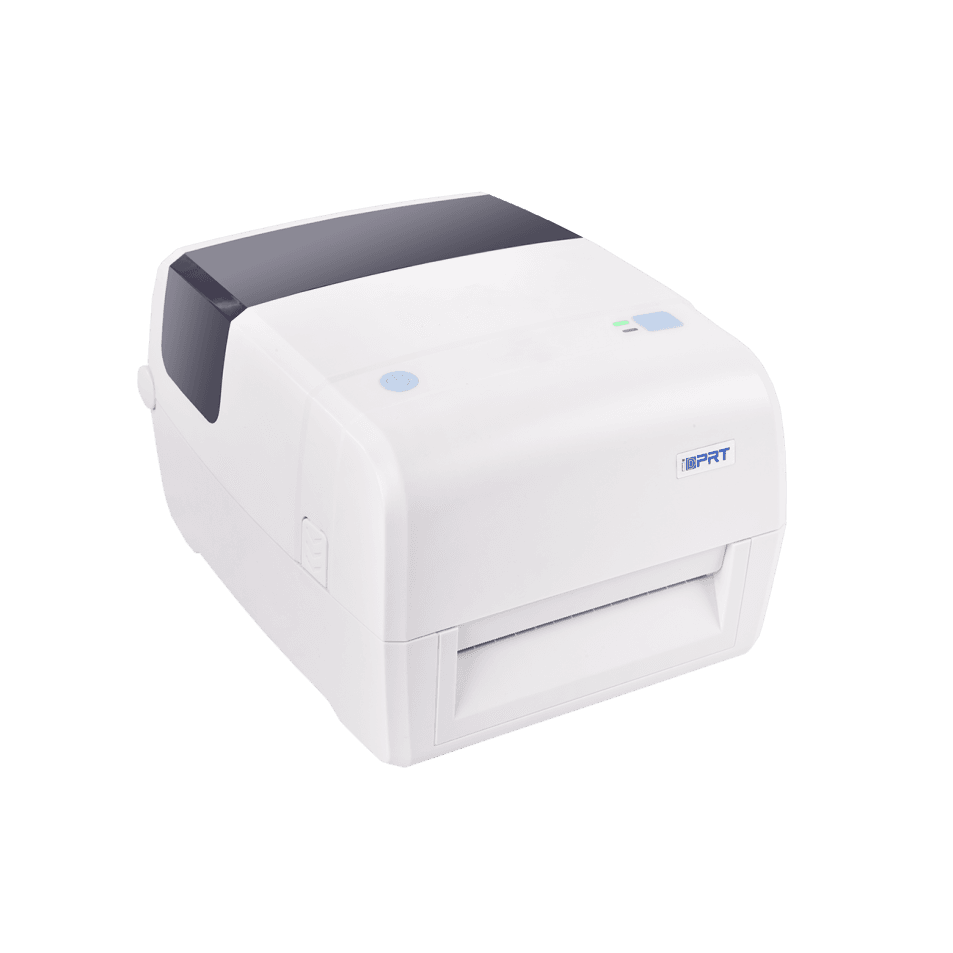
The iDPRT iT4S is a 4-inch desktop thermal transfer barcode printer ideal for on-demand labeling in metal fabrication shops and machine shops. With dual printing modes, 203/300 dpi options, and flexible connectivity, it supports parts identification, stock labeling, and work-order tracking across different workstations.
- •Dual printing modes: Switch between direct thermal for temporary receiving and WIP tags and thermal transfer for longer-lasting PP and PET labels with compatible ribbons.
- •203/300 dpi High-Precision Printing: Choose 203 dpi for standard labels or 300 dpi for small-format labels and fine text. It delivers sharp details and clear, accurate printing for precise parts identification.
- •Flexible media and ribbons: Handles label media from 25.4 mm to 118 mm wide and 0.06 mm to 0.25 mm thick. Supports Wax, Wax/Resin, and Resin ribbons up to 300 m for different label materials and printing requirements.
- •Software and connectivity: Compatible with ZPL-II, EPL2, DPL, and TSPL. Includes USB Type-B and Ethernet as standard, with optional Wi-Fi and Bluetooth.
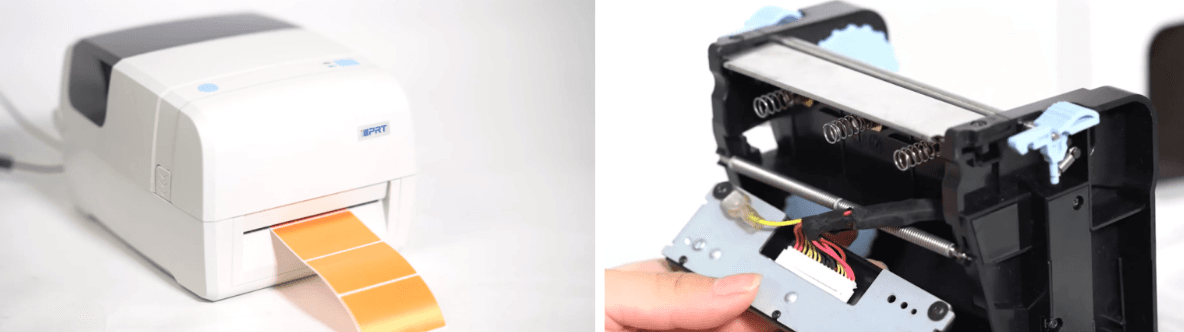
- •Easy maintenance: Modular printhead design simplifies replacement and service, with automatic printhead detection.
- •Optional accessories: External label peeler, cutter, and label roll holder for different workflows.
Key Specifications
| Specification | iDPRT iT4S |
|---|---|
| Printing Method | Direct Thermal / Thermal Transfer |
| Resolution | 203 / 300 dpi |
| Max. Print Width | 108 mm / 106 mm |
| Max. Ribbon Length | 300 m |
| Ribbon Types | Wax / Wax-Resin / Resin |
| Media Width | 25.4–118 mm |
| Standard Interfaces | USB Type-B / Ethernet |
| Optional Interfaces | Wi-Fi / Bluetooth |
| Printer Languages | ZPL-II / EPL2 / DPL / TSPL |
| Memory | 128 MB RAM / 256 MB Flash |
Is the iDPRT iT4S the Right Choice for Your Fabrication Shop?
If you’re tired of handwritten markings or want more flexible on-demand printing, the iDPRT iT4S is worth considering. It supports a range of everyday labeling applications in metal fabrication shops and machine shops:
- •Bar Stock & Tube Identification: Material grades, dimensions, stock numbers.
- •CNC-Machined Parts: Part numbers, serial numbers, QR codes.
- •Work-in-Progress (WIP): Work orders, job IDs, production status.
- •Inventory & Storage: Bin numbers, shelf locations, item barcodes.
- •Finished Goods & Shipping: Product IDs, batch numbers, shipping barcodes.
For very high-volume continuous printing or harsh production environments, consider industrial label printers designed for heavier workloads.
Frequently Asked Questions
What is the best label printer for metal fabrication?
A 4-inch thermal transfer barcode printer is a practical choice for many metal fabrication shops. The iDPRT iT4S is one option that supports both direct thermal and thermal transfer, making it suitable for both temporary and durable labeling needs.
Is thermal transfer better than direct thermal for metal parts labeling?
Generally, yes. Thermal transfer suits durable, long-term labels, while direct thermal is better for temporary indoor labels such as receiving tags and WIP labels.
What labels work best on metal parts?
PET labels with resin ribbons suit demanding applications requiring abrasion and chemical resistance. PP labels offer moisture and moderate scuff resistance. Adhesive compatibility is essential.
Which ribbon is best for metal parts labels?
- •Wax: Coated paper labels, general indoor use.
- •Wax/Resin: Compatible paper and synthetic labels requiring better scuff resistance.
- •Resin: PET and compatible synthetic labels requiring higher abrasion and chemical resistance.
Final Thoughts
Choosing a label printer for metal fabrication ultimately depends on matching printing technology, label materials, resolution, and connectivity to your actual production needs.
For shops looking for a flexible 4-inch desktop solution, the iDPRT iT4S is worth evaluating based on dual-mode capability, media flexibility, and integration requirements.
Looking for a barcode printing partner for your labeling software or integrated manufacturing solutions? Contact iDPRT to discuss printer integration and project requirements.